

To schedule Tesla mobile service through the app, users open the Tesla app and tap “Service” to describe their repair needs. The app determines mobile service eligibility based on location and issue complexity—minor repairs only, not battery work or major diagnostics. After selecting mobile service, customers receive cost estimates for approval, then choose available appointment times. Confirmation arrives via email and text. The process simplifies everything digitally, though there’s more to consider for peak scheduling. Additionally, customers can access resources within the app, including a ‘Tesla mobile connector overview‘ that provides important information about charging compatibility and installation. This feature ensures that users understand how to maximize their vehicle’s performance with the right equipment. Overall, the app facilitates a seamless experience, making it easier for Tesla owners to manage their vehicle’s service needs effectively.
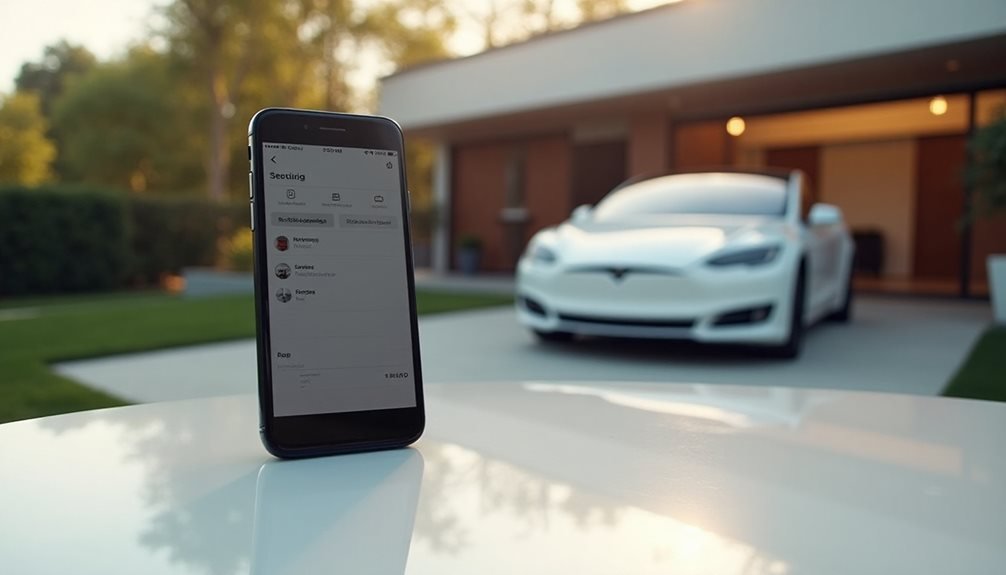
Tesla owners who want mobile service delivered to their doorstep need to steer the Tesla app’s service request process first. Opening the app is step one. No shortcuts here.
From the home screen, users select “Service” to access the request interface. Simple enough. Then comes describing what needs fixing—tire rotation, HomeLink installation, whatever’s broken or needed. The app responds with options for mobile service or a Service Center visit.
Tesla’s app cuts straight to business—describe the problem, get your options, move forward.
Location details matter. Users must enter their home address so Tesla can determine mobile service eligibility. Not all areas get the luxury of doorstep service, especially rural regions or low-volume zones. Geography wins sometimes.
The app prompts users to review support topics to align with their specific issue. Choosing mobile service requires qualifying for off-site work first. Some repairs demand Service Center visits, period. Battery services, complex diagnostics, certain procedures—they stay at the shop.
Selecting a support topic like “Tire Service” triggers additional questions. The system wants vehicle information: make, model, current mileage. Tesla calibrates service needs this way. Users can download or view the owner’s manual through the Materials tab if needed.
Mobile service availability depends on location and service type. HomeLink installation qualifies for mobile visits. Other repairs? Not so much. Mobile Service specifically targets minor repairs to maximize convenience for owners.
After the system approves the service type, users receive an estimate covering labor, parts, and taxes. Reviewing estimates allows price comparisons against standard benchmarks. Approving the estimate locks the price and opens scheduling options. No approval, no appointment slots. The app enables users to communicate instantly with the service team throughout the entire process.
Date and time options appear based on technician availability and service urgency. Rush services might push users toward Service Centers for faster resolution. Users must verify their location if scheduling mobile service—wrong address means missed appointments.
The “Approve and Schedule” button finalizes everything. Confirmation emails and texts arrive with appointment details. Tesla also offers fee-based home delivery through independent carriers for customers living more than 220 miles from delivery centers.
Changes happen. The edit function lives under “Service,” then appointment date, then “Edit.” Rescheduling depends on technician workload. Switching between mobile and Service Center options may require new estimates or approval rounds.
Cancellations must go through the app to avoid no-show fees. Tesla sometimes cancels too, triggering automated notifications. Service happens, eventually.
Frequently Asked Questions
What if Tesla Mobile Service Isn’t Available in My Area?
When Tesla mobile service isn’t available in someone’s area, they’re basically stuck with the old-school approach. They’ll need to contact local service centers through the app and schedule traditional appointments. Yeah, it’s less convenient.
They can message the service team directly to clarify what’s actually available nearby. Tesla keeps expanding mobile coverage, so checking back periodically might reveal new options eventually.
How Much Does Tesla Mobile Service Cost Compared to Service Centers?
Tesla mobile service costs about the same as service centers, sometimes with added convenience fees. Labor rates hit $100/hour either way. The real kicker? Parts dominate costs anyway, not labor.
Mobile techs can gang up on jobs, potentially cutting time. But here’s the catch – complex repairs still need the service center, so you’re not escaping those costs.
Savings are pretty minimal overall.
Can Tesla Mobile Service Perform Warranty Repairs at My Location?
Tesla mobile service can handle some warranty repairs at customer locations, but it’s not a guarantee. Minor warranty work like software updates or accessory replacements? Sure. But major stuff like battery or drive unit failures typically require a service center visit.
Tesla determines feasibility case-by-case. Parts need complete failure from defects, not gradual wear-and-tear, to qualify for coverage.
What Happens if It Rains During My Scheduled Mobile Service Appointment?
Rain throws a wrench into mobile service plans. Tesla technicians need adequate outdoor space and dry conditions for most repairs. Severe weather means relocating to a garage if possible, or prioritizing indoor-friendly work like software updates over tire changes.
Weather-unsafe services get rescheduled through the app. Brake checks focus on pad inspection rather than wet testing. Sometimes Mother Nature wins.
How Far in Advance Should I Schedule Tesla Mobile Service?
Tesla doesn’t specify recommended advance periods for mobile service scheduling. The company uses resource-driven scheduling, meaning available slots reflect the soonest dates based on technician availability in each region.
Users can reschedule or cancel up to 24 hours before appointments.
The system is pretty straightforward – book when you need service, pick from whatever dates pop up, and Tesla handles the rest.