

Tesla’s Summon feature turns the Model 3 into a remote-controlled car for tight parking situations. Two versions exist: Dumb Summon moves the vehicle in straight lines using key fob buttons, while Actually Smart Summon requires a Full Self-Driving subscription and steers around obstacles like a “caffeinated squirrel.” Both work within 279 feet through the Tesla app. Drivers must maintain visual contact and hold buttons continuously. The system helps avoid embarrassing parking lot contortions, though understanding its subtleties reveals additional capabilities.
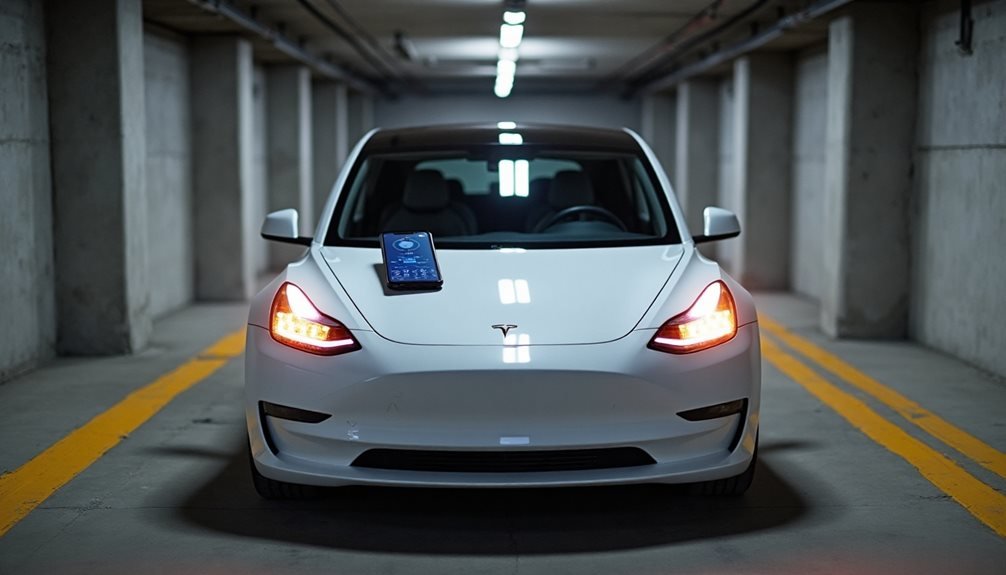
When Tesla owners find themselves squeezed into parking spots tighter than a sardine can, Summon becomes their digital valet. This feature converts the Model 3 into a remote-controlled car that actually listens better than most teenagers. The technology comes in two flavors: basic Dumb Summon and the cleverly named Actually Smart Summon, because Tesla’s marketing team apparently has a sense of humor.
Dumb Summon does exactly what it sounds like. It moves the car forward or backward in a straight line, period. No obstacle detection, no fancy guidance. Just pure, simple movement that assumes the path ahead is clearer than a politician’s promises. Drivers activate it by holding the key fob’s center button for three seconds until the hazard lights stop having a seizure and become steady. The front trunk button moves the car forward, while the trunk button sends it in reverse.
Actually Smart Summon requires a Full Self-Driving subscription, which means owners pay extra for their car to locate them autonomously. This upgraded version directs to the driver’s phone location while dodging obstacles like a caffeinated squirrel. The car actually considers its route instead of blindly charging forward.
The Tesla app provides another control method. Owners select Summon mode, then press the Smart Summon icon to watch their investment crawl toward them at a thrilling 3 mph. The system works within 279 feet when using a connected phone, though it slows down beyond 85 meters and throws a tantrum by pausing at 328 feet. If the distance hits 345 feet, the session ends completely.
Safety requirements remain surprisingly old-fashioned. Drivers must maintain visual contact with their vehicle and actively monitor surroundings, which defeats the purpose of looking cool while summoning a car. The technology works best in tight parking spots or cramped garages where human contortion would otherwise be required. Smart Summon can even detect and stop for pedestrians approaching the vehicle’s path. Continuous button holding throughout the entire summon process ensures the vehicle doesn’t stop unexpectedly mid-journey. While using Summon in public areas, Sentry Mode can provide additional security monitoring when the vehicle is parked and unattended.
Tesla introduced this feature in 2016 with Autopilot 7.1, starting with Model S and X before expanding to the mass-market Model 3. The system continues receiving software updates, gradually becoming less likely to embarrass owners in public parking lots.
Frequently Asked Questions
What Happens if My Phone Loses Connection During Summon?
When a phone loses connection during Summon, the Tesla immediately stops and activates its parking brake. No fancy recovery here – the session completely aborts.
The app fires off an error notification, then goes silent. Users can’t resume where they left off either. They’ll need to restart the mobile app, check their signals, and manually restart Summon from scratch.
It’s basically a hard reset situation.
Can Tesla Summon Work in Underground Parking Garages?
Tesla Summon struggles in underground garages. GPS signals get wonky or disappear entirely in basements, which pretty much kills the whole guidance feature.
Concrete walls create signal reflections that confuse the system further.
Poor lighting messes with the cameras, and tight spaces with pillars exceed Summon’s comfort zone.
The feature works best in open, above-ground areas with clear satellite visibility.
Does Summon Feature Drain the Car Battery Significantly?
Tesla’s Summon feature absolutely hammers the battery. The standby mode keeps cameras and sensors running constantly, creating serious vampire drain.
Some models lose up to 10 miles of range daily with Summon enabled, compared to just 3-4 miles without it.
The car’s always-on sensor design is pretty inefficient, draining power until the battery hits around 20% and protection kicks in.
What’s the Maximum Distance Summon Can Move My Tesla?
The maximum distance varies by region and gets complicated fast. Most places allow 1,558 feet of total movement per session, but some regions like New Zealand cap it at just 145 meters.
There’s also a 7.5-minute time limit that can cut things short.
The car needs to stay within 345 feet of the phone or it just stops completely and ends the session entirely.
Will Summon Work if My Tesla Has Low Tire Pressure?
Tesla’s Summon feature gets cranky about low tire pressure. The system relies on precise sensor readings and accurate distance detection – things that go sideways when tires are underinflated.
Low pressure can mess with vehicle geometry, throw off camera alignment, and screw up proximity sensors. Tesla’s safety protocols typically disable Summon if tire pressure warnings are active.
The car basically refuses to cooperate until you fix the problem.