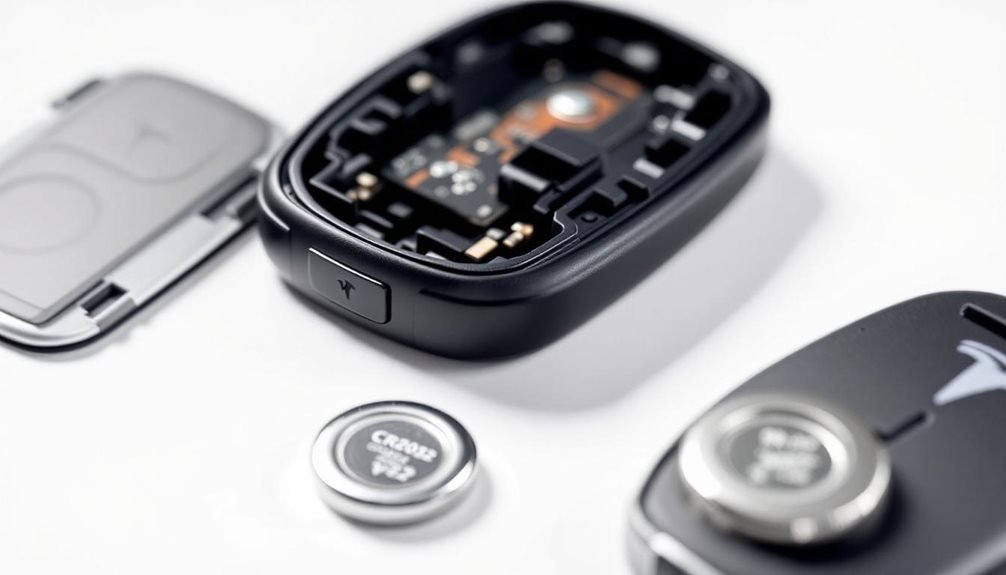
Tesla key fob batteries inevitably die at the worst moments, leaving drivers stranded in parking lots. The CR2032 lithium battery typically lasts about a year before giving up. Most owners ignore the dashboard alerts until it’s too late. Replacing it requires a small flat tool to pry open the fob, carefully removing the old battery, and installing a new one with the positive side facing up. The whole process costs under five dollars and takes minutes to complete.
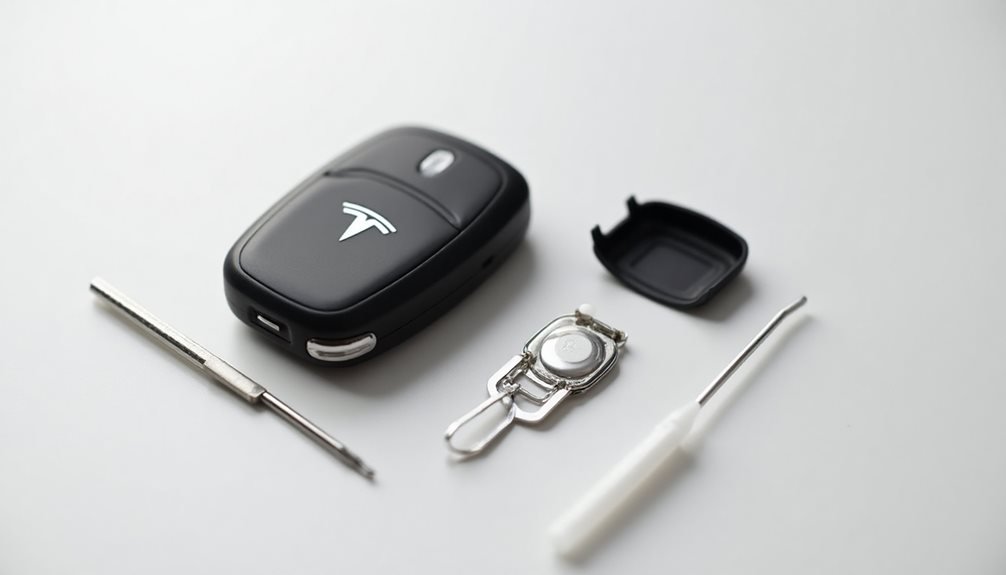
How often do Tesla owners realize their key fob is dying? Usually when they’re standing in a parking lot, frantically pressing buttons. The CR2032 lithium 3V battery inside typically lasts about a year with normal use.
Tesla’s thoughtful enough to send low-battery alerts to the dashboard or touchscreen, though some drivers ignore these warnings until it’s too late.
Tesla warns drivers about dying key fob batteries, but many ignore the dashboard alerts until they’re stranded in parking lots.
Replacing the battery isn’t rocket science, despite what some Tesla forums might suggest. The process requires a CR2032 battery, preferably Panasonic-branded since Tesla recommends it. It’s important to handle the replacement properly to avoid any issues with your vehicle’s key fob functionality. Neglecting to change the battery in a timely manner can lead to tesla battery depletion consequences, potentially leaving you locked out of your car. Regular maintenance, including battery checks, can help ensure that you remain connected to your Tesla without any interruptions.
A small flat tool works for prying, though a thumbnail does the job just fine. Tesla owners who baby their cars should grab a soft surface to prevent scratching the precious key fob. For those who maintain their vehicles meticulously, understanding the tesla wiper blade replacement process is essential. Regularly replacing wiper blades not only ensures optimal visibility during inclement weather but also helps preserve the overall integrity of the car’s exterior. It’s advisable to follow the manufacturer’s guidelines for installation to prevent any potential damage to the windshield or surrounding areas.
The disassembly starts with placing the fob button-side down. There’s a notch near the “S” that releases the bottom cover when pried gently.
The battery sits in front retaining clips and lifts out easily. Smart owners wipe the contact surfaces clean because oils and debris kill conductivity.
Installation requires attention to detail. The battery’s positive side faces upward – this matters more than some realize.
The notch aligns with front retention tabs, and the bottom cover’s tabs must match their corresponding slots. Press firmly until there’s an audible click. No click means it’s not seated properly.
Testing happens immediately. Unlock and lock the vehicle to confirm functionality. Model S and X owners should check proximity sensing features.
The touchscreen should stop complaining about low batteries if it was previously whining.
Common mistakes plague even experienced Tesla owners. Touching battery faces reduces conductivity thanks to skin oils.
Using wrong batteries like CR2025 or CR2030 won’t work despite looking similar. Misaligned tabs during reassembly cause cover instability that’ll annoy perfectionist owners.
Batteries cost roughly two to five dollars from Amazon, Walmart, pharmacies, or supermarkets. Tesla’s online store carries them too, naturally. Owners with multiple key fobs should consider replacing all batteries simultaneously to maintain consistent performance across devices. Regular monitoring helps prevent unexpected failures between replacement cycles.
The auxiliary physical key for Model 3 lasts about five years, completely unrelated to fob battery life. Old batteries belong in hazardous waste facilities, not regular trash bins where they’ll leak toxins.
If the key fob still fails after battery replacement, owners should consider using the Tesla mobile app as an alternative entry method while troubleshooting further issues.
Frequently Asked Questions
How Often Should I Replace My Tesla Key Fob Battery?
Tesla key fob batteries typically need replacing every 12 months with normal use. That’s the standard timeline, though some might last a bit longer or shorter depending on usage patterns.
The smart move? Replace all key fobs simultaneously to keep everything running consistently. Don’t wait until the low-battery warning pops up on the dashboard.
Stay ahead of it, because nobody wants to deal with a dead fob at the worst possible moment.
What Type of Battery Does My Tesla Key Fob Use?
Tesla key fobs use CR2032 lithium coin batteries. That’s it, nothing fancy.
The 3V battery works across all Tesla models – S, X, 3, Y, whatever.
Tesla recommends Panasonic CR2032 for best performance, though honestly, most brands work fine.
Just make sure it’s actually a CR2032 and not some random battery.
The positive side goes up during installation.
Pretty straightforward stuff.
Will Replacing the Battery Erase My Key Fob Programming?
No, replacing the battery won’t erase programming. Tesla designed their key fobs to retain all stored data during CR2032 battery swaps.
The programming stays put, which is actually pretty smart engineering. However, some owners do experience syncing hiccups afterward – not because data disappeared, but due to interrupted signal recognition.
If that happens, just hold the fob above the center console until the car acknowledges it again.
Can I Use Rechargeable Batteries in My Tesla Key Fob?
Rechargeable batteries won’t work in Tesla key fobs. Period. Tesla exclusively recommends CR2032 3V lithium batteries, and rechargeables typically run at 2.4V – not enough juice.
The fob’s circuitry is calibrated for non-rechargeable lithium performance. Plus, rechargeables fluctuate voltage during discharge cycles, which could mess with your signal.
Tesla’s documentation doesn’t even mention rechargeables as an option. Stick with standard CR2032s.
How Do I Know When My Tesla Key Fob Battery Is Dying?
Tesla drivers know their key fob battery is dying when dashboard warnings start nagging them constantly. The fob becomes ridiculously picky, requiring direct contact with the car to work. Remote functions lose range dramatically. Buttons respond erratically or ignore commands entirely. Passive entry quits working unless pressed hard against doors.
If it’s been over a year since replacement, the battery’s probably toast anyway.