

Transferring Tesla ownership through the app takes seconds when both parties have active accounts. The seller enters the buyer’s name and Tesla email twice, receives a security code, and boom—digital transfer complete. Both need key cards during the handoff period. Here’s the catch: Tesla’s slick digital system doesn’t handle legal ownership. That still requires old-school DMV paperwork, title transfers, and whatever bureaucratic hoops your state demands for proper documentation.
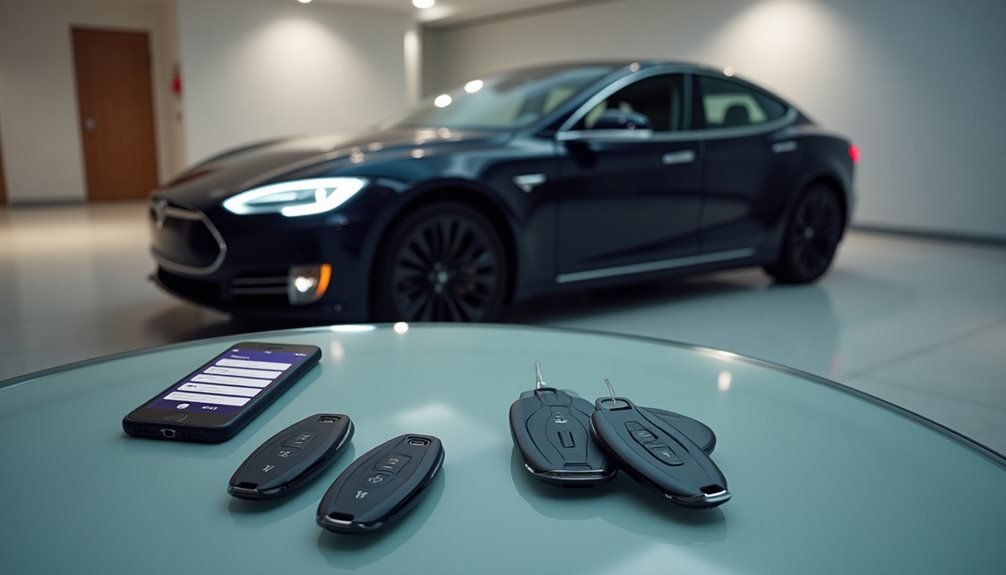
Transferring Tesla ownership isn’t rocket science, but it’s not exactly intuitive either. The process sits somewhere between ordering coffee and filing taxes—manageable, yet oddly specific in ways that’ll make you wonder why everything can’t just be simple.
First things first: both parties need active Tesla accounts. No account, no transfer. Period. The seller also needs the buyer’s registered Tesla email address, and here’s where Tesla gets paranoid about typos—they make you enter that email twice. Because apparently, copying and pasting is too risky for a company that launches rockets.
Tesla’s double email verification system treats typos like national security threats—because rocket science requires paranoid precision.
Before initiating any transfer, perform a factory reset to clear all personal information from the vehicle. The actual transfer happens through the Tesla app. Locate to “Vehicles,” then “Transfer Ownership.” Input the buyer’s details: first name, last name, and that double-checked email address. Tesla then sends a security code to the seller’s email for final authorization. Multiple warnings pop up about permanent loss of access because Tesla really wants everyone to grasp this isn’t reversible.
If both parties already have Tesla accounts, the transfer takes seconds. Otherwise, expect three to five business days for Tesla to finalize authorization. During this limbo period, key cards become essential—both parties need them for vehicle access while the digital handoff processes.
Once complete, the car vanishes from the seller’s account automatically. The buyer receives notifications and gains full control through their app. Services like Premium Connectivity transfer over too, which is convenient since nobody wants to lose their streaming music mid-commute. Before completing the purchase, buyers should verify software specs to ensure they’re getting the features they expect.
Here’s the kicker: digital ownership doesn’t equal legal ownership. The Tesla app transfer handles the tech side, but actual title transfer requires separate paperwork submitted to the DMV or local authorities. Regional variations apply—some areas demand notarized signatures, emissions testing, or specific forms.
If there’s financing involved, lien holders need notification. The documentation requirements vary by location but typically include proof of ownership, signed bill of sale, and any state-specific forms. VIN numbers must match across all paperwork because mismatched numbers create bureaucratic nightmares.
Security delays can extend processing if paperwork contains errors or account issues arise. Tesla retains transfer records, so there’s always a digital trail of ownership changes. Both the car and accounts must have internet connectivity during the transfer process to ensure everything syncs properly.
Frequently Asked Questions
Can I Transfer My Tesla if I Still Owe Money on It?
Tesla ownership transfers with outstanding loans get messy fast. The seller can’t just hand over the keys and call it done. Lenders hold the title until debts are cleared, period.
The buyer either assumes the existing loan (good luck with credit approval) or the seller pays off everything first.
Tesla’s app handles account transfers, but it won’t magically resolve financing headaches or legal obligations.
Does Transferring Ownership Void My Tesla’s Warranty?
Transferring Tesla ownership doesn’t void the warranty. Actually, Tesla’s New Vehicle Limited Warranty automatically transfers to new owners through their authorized system. The coverage and terms stay exactly the same.
Here’s the catch though – the warranty period still starts from the original delivery date, not when someone buys it used. So subsequent owners get whatever time is left on the clock.
What Happens to My Supercharger Credits When I Transfer Ownership?
Supercharger credits don’t transfer with the car—they stick to the original owner’s account like digital lint. The new owner gets nothing. Well, almost nothing.
Some legacy Model S vehicles from 2012-2017 might keep their free unlimited charging, but that’s rare. Referral credits and purchased credits? Gone.
The new owner starts fresh, which means they’ll be paying Tesla’s charging rates from day one.
Can I Transfer Tesla Ownership to Someone in Another State?
Yes, Tesla owners can transfer ownership across state lines through the app’s transfer process.
Out-of-state buyers must comply with their new state’s DMV regulations, which varies markedly. Some states like Connecticut and New York require immediate registration with no temporary plates. Others like Arizona and California offer temporary options.
The buyer creates a Tesla account, uploads required documents, and the transfer processes in 3-5 days regardless of location.
How Much Does It Cost to Transfer Tesla Ownership?
Tesla’s digital transfer won’t cost a penny through their app. That’s the good news.
The bad news? Everything else might. Title and registration fees depend on where someone lives, and those vary wildly by state.
Third-party services like KeySavvy charge their own fees if people want help.
DMV fees exist outside Tesla’s system.
Local taxes and handling charges may apply depending on jurisdiction.