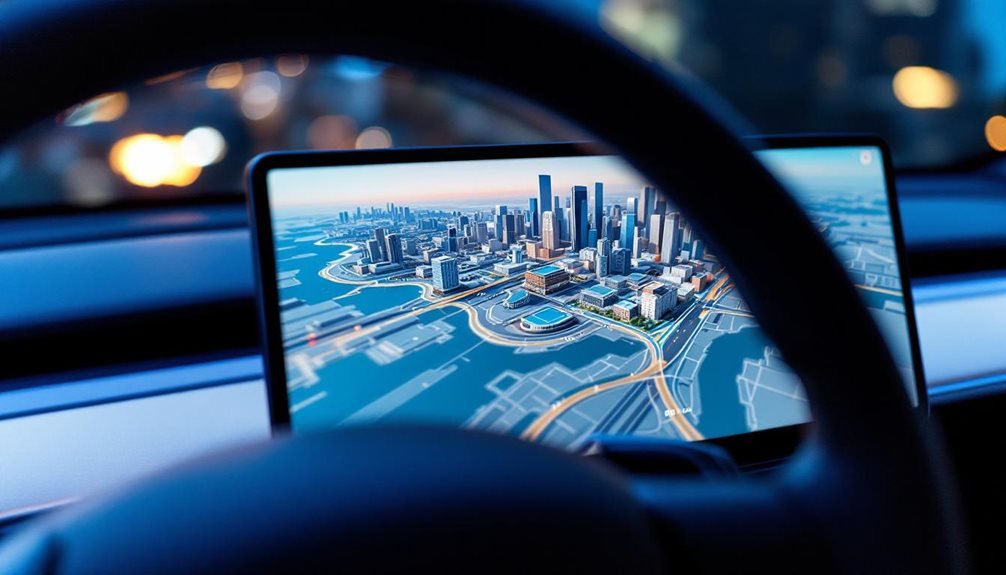
With its latest software update version 2025.38, Tesla has begun rolling out a new 3D mapping feature that brings realistic depth to vehicle routing screens. The company officially calls it “3D Buildings,” and it’s now available to select Tesla owners as one of the brand’s most visually striking route improvements.
Tesla’s update 2025.38 introduces 3D Buildings, adding realistic depth visualization to navigation screens for select vehicle owners.
The feature isn’t free for everyone. Drivers need a Premium Connectivity subscription to access the 3D building visualization. Only vehicles with AMD Ryzen processors—specifically AI3/HW3 and AI4/HW4 models—can use it. Older cars with Intel-based hardware won’t support the feature.
The 3D maps render urban environments with realistic depth, showing building outlines and heights for everything from skyscrapers to houses. Road details like lane numbers, markers, and speed limits appear integrated into the display. Exit numbers and road information show up in blue signage, making route clarity clearer.
Activating the feature is straightforward. Drivers switch to Map View and tap a new 3D icon that appears next to the radar button on Model 3 and Model Y displays. The feature automatically turns on at higher zoom levels in urban areas but disappears when users zoom out beyond a certain threshold. Standard touchscreen gestures like pinching, rotating, and dragging work normally.
The system improves orientation in dense downtown environments. Turns become more obvious because intersections connect visually with surrounding buildings. Map rotation is smoother now, without the old five-degree increments. Zoom levels adjust automatically based on upcoming route actions. The 3D View option enhances visual representation of terrain and landmarks during navigation.
Tesla’s routing data comes from OpenStreetMap, while the visual layer uses Google’s 3D mapping imagery globally. In China, Baidu imagery replaces Google Maps due to local restrictions. The maps also display charging station availability indicators. The system provides real-time traffic information to help drivers avoid congestion and select optimal routes.
This feature might signal future integration with Full Self-Driving visualizations. Early Cybertruck prototypes showed vehicle visualizations on 3D maps, blending real-time information like vehicles and traffic lights with map data. The system represents Tesla’s evolution toward more detailed and interactive route clarity, though accessing it requires both compatible hardware and an active Premium Connectivity subscription.